Firefox Extension
The easiest way to manage proxies in Firefox
A complete proxy manager built into Firefox. Add proxies from any provider, test them, connect in one click, and rotate your IP on demand.
- Free, no account needed
- Works with any proxy provider
- HTTP(S) & SOCKS support
Overview
A modern take on proxy settings
Proxidize Proxy Extension is a complete proxy manager built right into Firefox. Add proxies from any provider, test them before you trust them, connect in one click, rotate IPs on demand, and decide exactly which sites go through which proxy.
No account needed, and it works with every proxy provider. Think of it as a modernized version of the traditional “Proxy Settings” interface: simpler, faster, and far more efficient.
Configure all your proxies once, then connect, switch, and rotate straight from the toolbar, with no digging through Firefox's advanced settings or your operating system's proxy dialog.
Features
Everything you need to manage proxies
Purpose-built for Firefox and packed with the essentials. No clutter, no complicated setup.
Add proxies in any format
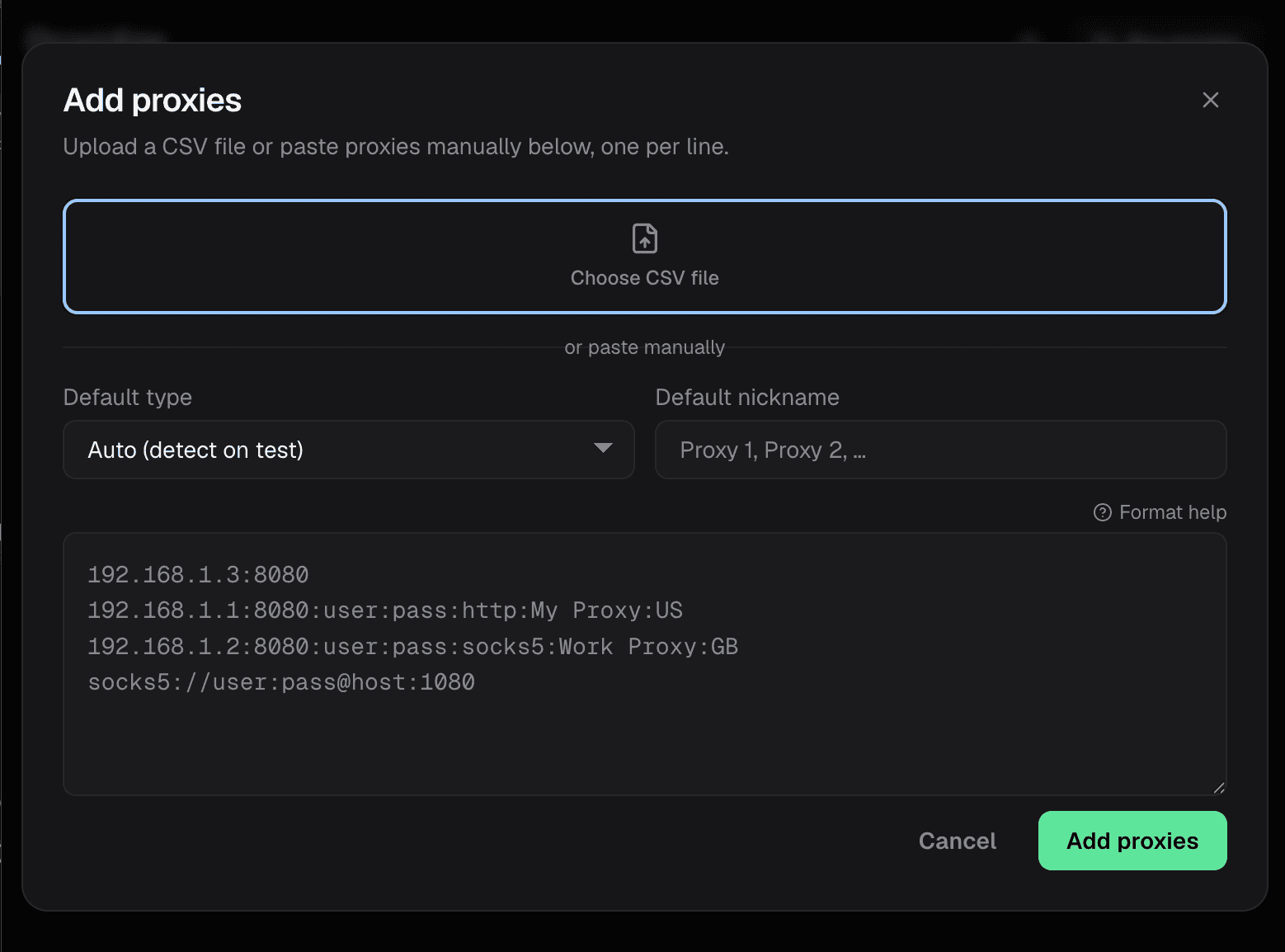
Paste ip:port, user:pass@ip:port, or full http:// and socks5:// URLs. Host, port, and credentials are separated for you.
Bulk paste & CSV import
Import your entire proxy pool at once by pasting a list or uploading a CSV file.
Built for huge lists
Thousands of proxies stay fast and organized, so large pools never slow you down.
Nickname every proxy
Label proxies by region, account, or project to keep sessions and workflows tidy.
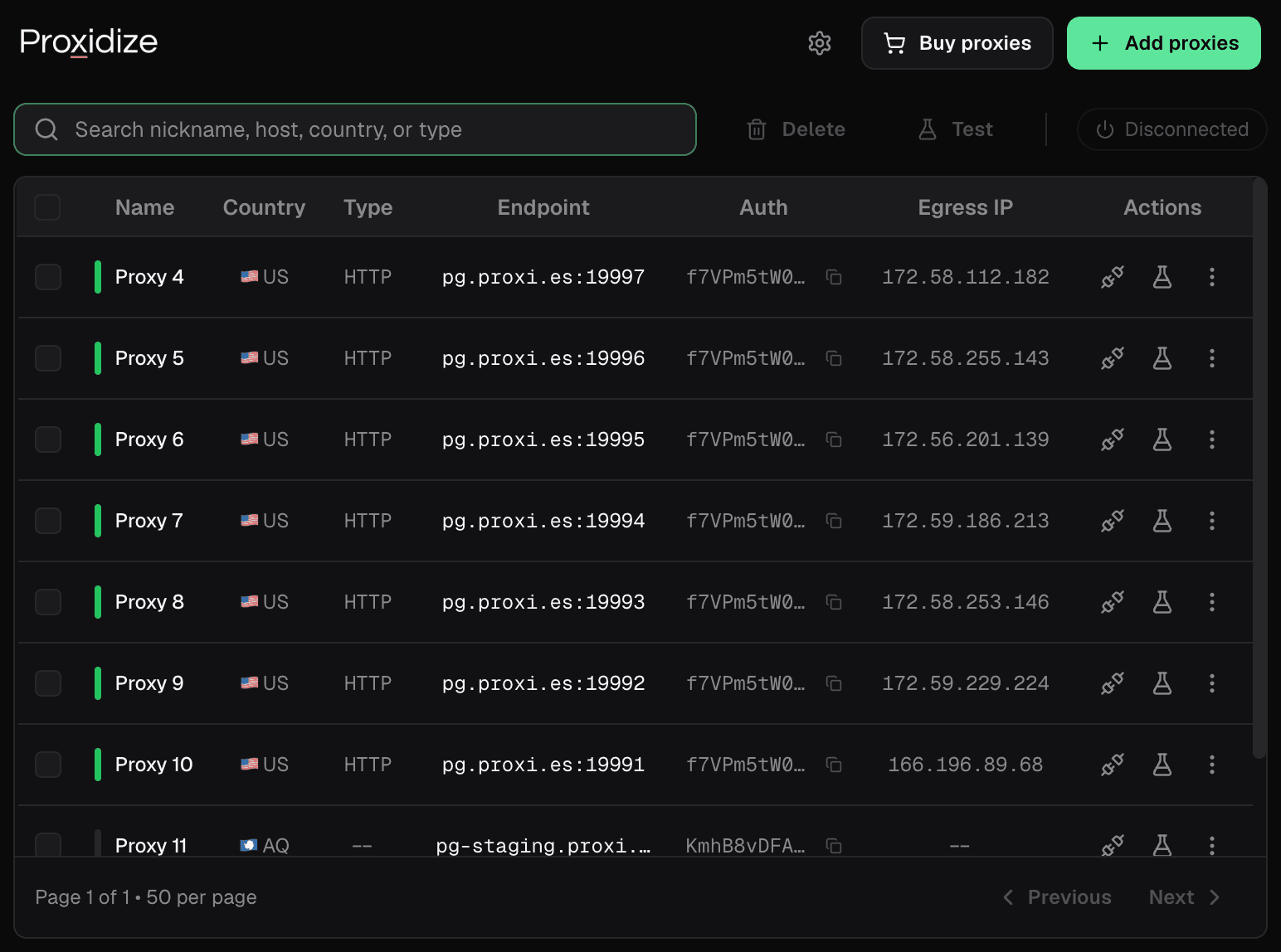
Country detection with flags
See where each proxy exits at a glance, with the country detected automatically.
Instant search & pagination
Find the right proxy fast. The popup even remembers your search and page while you work.
Built-in proxy tester
Check connectivity, authentication, and the real exit IP before you route traffic through a proxy.
Batch testing
Test one proxy or your whole list in a single run, with clear pass/fail results.
One-click connect & switch
Turn a proxy on or off and switch instantly. Credentials apply automatically, with no login popups.
Toolbar status badge
The toolbar badge always shows which proxy you're connected to.
Auto-reload on change
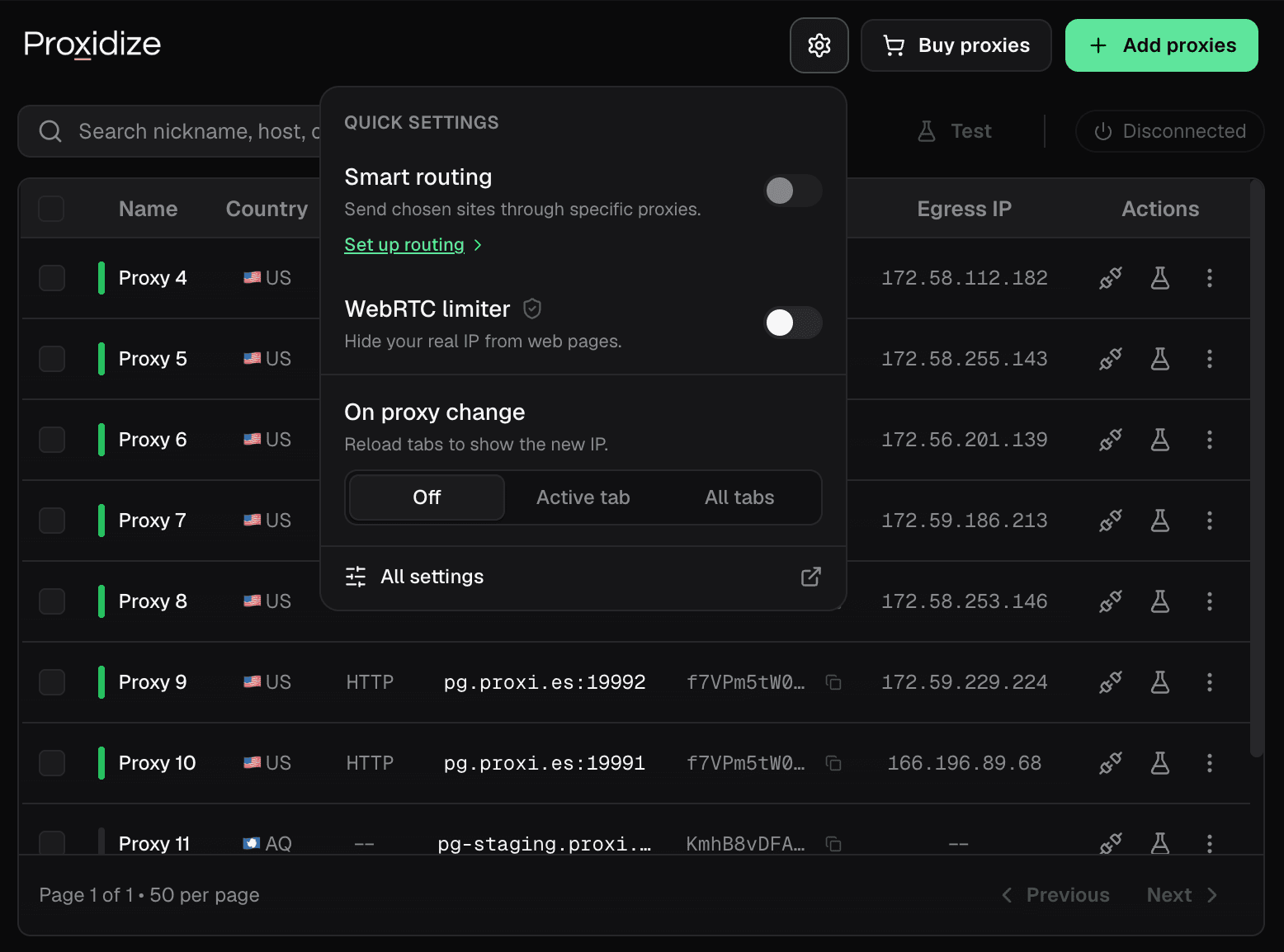
Optionally reload the current tab or every tab when your proxy changes, so you never browse on a stale IP.
On-demand IP rotation
Get a fresh IP in one click, with session rotation for residential gateways and rotation links for mobile and dedicated proxies.
Per-site smart routing
Keep one main proxy and add per-site exceptions, with a global bypass list and a master switch for every rule.
WebRTC leak protection
Stops your real IP from leaking through WebRTC while connected. The indicator turns into a shield so you can see it working.
HTTP, HTTPS & SOCKS
Full support for HTTP, HTTPS, and SOCKS proxies from any provider. Pair it with Proxidize for the best results.
See it in action
Take a tour of the extension
The screens you'll use every day, all from the toolbar: your proxy manager in the popup, bulk and CSV import, and quick settings for smart routing, WebRTC protection, and auto-reload on change.
How it works
Up and running in Firefox in under a minute
- 1
Install the extension
Add Proxidize to Firefox in one click from the Firefox Add-ons.
- 2
Add your proxies
Paste proxies in any format, bulk-paste a list, or upload a CSV. Type, exit IP, and country are detected automatically.
- 3
Connect, switch & rotate
Test that a proxy works, connect in one click, then switch between proxies or rotate your IP whenever you need to.
Permissions & data
Transparent about what it uses
The extension runs locally in your browser and asks only for what it needs to apply and verify proxies.
Required permissions
- Control browser proxy settingsSo the extension can route Firefox through the proxy you select.
- Clear recent browsing history, cookies, and related dataTo reset session data when you switch proxies, preventing leaks between sessions.
Optional permissions
- Access your data for all websitesUsed only to detect the active proxy's IP and country. You can decline this and still use the core features.
Related reading
Go deeper
Related use cases
FAQ
Got questions?
We've got answers.
Everything you need to know about the Proxidize proxy extension for Firefox: installation, proxy support, testing, IP rotation, per-site routing, and how it handles your data.
Talk to our teamAdd the proxy extension to Firefox
Free to install, easy to use, and works with any proxy. Pair it with Proxidize mobile or residential proxies for the best results.
Need help getting set up? Browse our setup guides.