
Whenever networks or internet speeds are being discussed, terms like bandwidth and latency get thrown around, which, for an uninformed participant, can get very confusing very quickly. The difference between latency vs bandwidth is a simple one, and understanding each can put into context the knock-on effects they have for user experience.
With remote working and cloud-based applications becoming more standard practices, understanding the differences between bandwidth and latency can help determine which of the two are a priority for you.
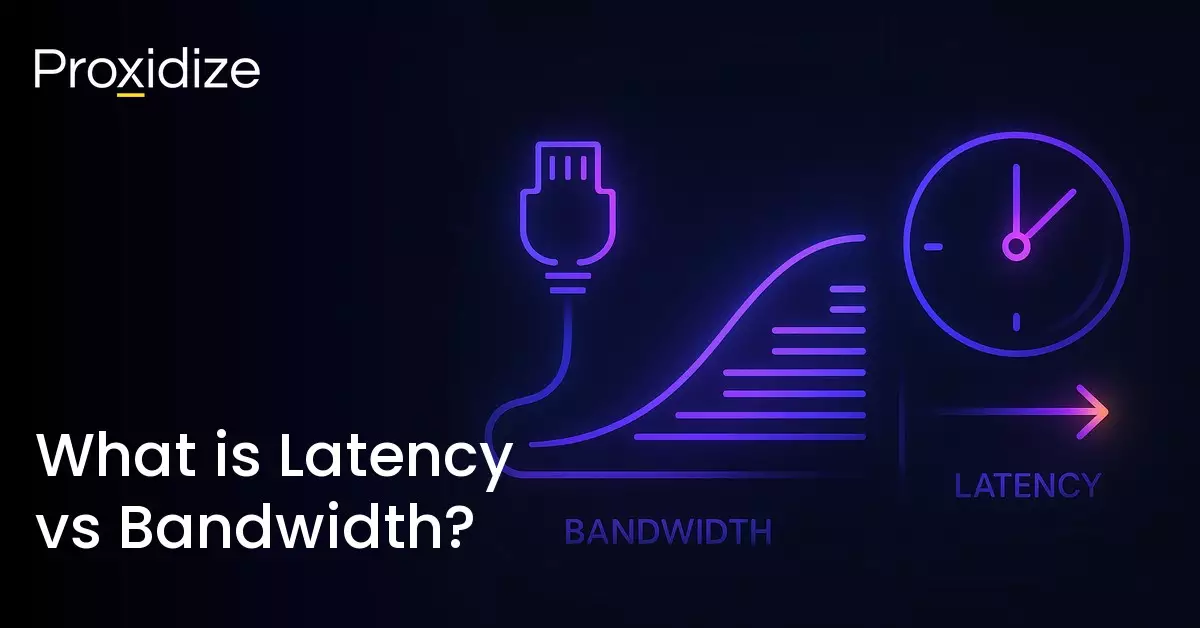
To put it simply, bandwidth is the amount of data that can be transferred while latency is the time it takes a single piece of data to travel from one point to another. The goal of this article is to really dig deeper into each meaning and explain the intricacies of each term, giving you a definitive understanding of both bandwidth and latency.

What is Bandwidth?
Bandwidth is the amount of data packets that are transferred from one location to the other. It is generally measured in Megabits per second (Mbps) or Gigabits per second (Gbps) which if you have ever checked your internet speed, might look familiar to you.
The general rule when it comes to bandwidth is the higher the better as more data can pass through the connection at one time. This plays into the word itself; band-width. The wider something is, the more another thing can pass through it. The term comes from the width of the communication band, which was used to dictate how fast data can travel.
Insufficient bandwidth capacity will limit your performance and result in slower data transmission as less packets are being sent through. While this does correlate to latency in a way, we will discuss that in more detail later on in the article.
Building on the analogy, just because something is wide and can fit a lot, does not mean the speed at which it passes through will be faster. Bandwidth is simply the theoretical maximum amount of data that can make it through a connection at a given time.

To better understand how bandwidth functions, let us imagine a highway. On a five-lane highway, cars are less likely to face traffic than if it were a two-lane road. In this instance, the cars are the data packets, the five-lane is higher bandwidth, and the two-lane is lower bandwidth. The larger the bandwidth, the more packets can travel through at once. Data transfer rate would be the highway’s speed limit. If that transfer rate is low, then data would still travel over that five-lane highway slowly.
Bandwidth has two directions; down bandwidth is the capacity for receiving or downloading data, and up bandwidth is the capacity for sending or uploading data. This is why having high bandwidth is useful for online gaming and streaming as you are constantly sending and receiving data. On the other hand, if your priority is sending emails or browsing static web pages, it would be a waste to opt for the highest bandwidth available.
There’s another area in which bandwidth is especially important: real-time communication (RTC). Having low bandwidth will often cause quality issues such as lag, especially as more participants join in on a call. For a simple one-on-one call, the minimum bandwidth required is around 1.5 to 2 Mbps down and 2 Mbps up. For video teleconferencing where there are two or more participants, you would be looking at a minimum of 6 Mbps to maintain consistent quality. A 480p quality video will need just 3 Mbps minimum while a 4K quality will need 25 Mbps to maintain.
It is important to keep in mind that if you have a 100 Mbps plan, the actual amount of data that can be sent and received is usually a touch lower due to the data required for processing. This is referred to as goodput or good throughout. If you are sending a file via HTTP, the data packets get padded in with up to 66 bytes worth of header information. So your 100 Mbps is close to 34 Mbps. The general recommendation is that the real bandwidth of your network should be no less than about 80% of what was advertised. If you are on a 100 Mbps plan, your bandwidth should not go lower than 80 Mbps.
Factors Affecting Bandwidth
Having high bandwidth will not always mean you will have the most data transferred or have the highest speeds. You could have high bandwidth but other factors could still negatively affect you, alternatively, you could have low bandwidth and experience transfers better than someone who has 10x the bandwidth you do.
- Network Infrastructure: Everything from your routers, switches, cabling, and the type of service you have plays a foundational role in your bandwidth. Fibre-optic connections will provide you with higher bandwidth than regular copper cables. Modern routers with more advanced protocols can support more efficient data flow.
- Number of Devices: Every device that shares the network draws from the available bandwidth. In a busy household or office space with multiple users streaming, downloading, or making video calls at the same time, the quality will be reduced as the bandwidth will be divided equally to accommodate.
- Network Congestion: Similarly, too many users on the same network or service can cause congestion, especially during peak hours or in shared environments such as apartment buildings or co-working spaces.
- Distance: Bandwidth degrades over distance. The further your device is from the router or access point, the weaker the signal, resulting in lower bandwidth. Have you ever found yourself stretching your phone as close to your Wi-Fi router as possible just to send one text message? This is why.
- Activity: Streaming high quality videos, downloading large files, or hosting a video conference uses more bandwidth than just browsing or sending emails. Applications with high data demands require more consistent bandwidth availability.
- Background-run Applications: Cloud sync services, updates, or video auto-play can consume a lot of bandwidth without you being aware of it. By constantly monitoring your bandwidth, you can stay ahead of these hidden drains.
With good bandwidth, you can guarantee smoother communication when streaming, run multiple cloud-based tools at the same time, and adapt to a hybrid or remote work model. With low bandwidth, you introduce the risk of buffering and lag, dropped connections, lower quality, and increased latency.

What is Latency?
You now understand bandwidth as the amount of data that can be transferred and the effects it has on your network performance. We had mentioned that bandwidth has little to nothing to do with speed (cars on highway, less traffic), so what determines the speed of data transfers? That would be latency.
Data is always going somewhere and the transfer of data will always take some time. The value that dictates how much time data takes to transfer is called latency. It is the time it takes for a data packet to travel from one point to another. Latency can measure the delay involved in a roundtrip between a user requesting data from a server and receiving it.
It is measured in milliseconds with good latency averaging below 150 ms while “bad” latency would be over 200 ms which is a speed perceptible to the human brain. While 200 ms may still sound fast, you will be more conscious of the delay in that 50 ms difference.
You have heard the saying “time is money”. Any time you save your customers, even if it is just a few milliseconds, can be the determining factor between them staying with you or trying one of your competitors.
Let us bring back the highway analogy from bandwidth. The lower the latency, the higher the speed limit on the highway. In theory, the same route could have the same amount of data arrive at the same amount of time with smaller bandwidth but higher speeds — and lower latency.
Much like bandwidth, there are different factors that help determine the speed of latency. Hardware specification, quality of physical connections, and network errors all play a part in creating a 150 ms latency or a 50 ms latency. Wired connections like cable offer something below 20 ms while wireless connections typically have higher latency.
Distance between hosts can also have an impact on latency but not as impactful as you might think. An extra 100 miles might contribute to less than 1 ms while a 2,000 mile distance could add anywhere from 10–20 ms. “Distance” is also difficult to determine, as it is rarely measurable “as the crow flies” between continents.
Having high latency can desynchronize audio and video, creating a lag between a person speaking and when they are shown to speak. For RTC, latency is ideal between 1 to 5 ms. This will ensure the sound you hear matches the mouth movements of the video.
If you play online video games, you may be referring to latency as ping or lag. While they are distinct terms, they are often used interchangeably to mean the same thing. Ping correlates to the speed while lag is the combination of low latency and/or low bandwidth.
Much like bandwidth, latency also works in upload and download speeds. Download latency is the delay before a digital asset arrives on your device while upload latency is the delay before the asset you send starts traveling. If either one is too high, things will feel slow and glitchy.
If you are streaming a show on a streaming platform, it could only take 10 ms to reach the server and 10 ms to come back, making it seem instantaneous. With bad latency, it could take up to 24 ms both ways. You may have experienced this when watching a video and having to wait for it to buffer a bit more before you press play again.
While 10 to 24 ms might seem like the smallest difference, it can seem like an eternity when streaming your favorite show or trying to play a ranked online competitive game.
Latency has real consequences for how people experience services online and how businesses function on the internet. Even the smallest delays can cause cataclysmic disasters for companies.
High latency can cause negative user satisfaction. If pages load slower, cloud applications become unresponsive, and video calls suffer from lag, customers would not think twice before dropping your service for someone who does it faster, even if by a few seconds. For e-commerce services, even a 100 ms delay can reduce conversions while for SaaS products, latency can lead to frustration and higher rates of unsubscribers.
For video conferences and VoIP calls, anything over 150–200 ms can lead to awkward pauses, echos, or people talking over each other. This can disrupt natural conversation and damage team cohesion or even client trust.
Traders, brokers, and banks rely heavily on low latency due to the sensitivity of millisecond decisions on the market that could mean they make millions or lose billions. Security systems need low latency data streams for quick threat detection and quicker responses.
Factors Affecting Latency
Latency alone does not automatically provide you with lightning fast speeds. There are a few factors that, when put together, produce higher chances for lower latency.
- Physical Distance: The physical distance data has to travel between plays a pivotal role in speed. If data is traveling from one room to another, then the data is guaranteed to be very fast. If the data is traveling across oceans, it would need to travel through undersea cables and satellite links which will cause a longer delay.
- Network Congestion: If there are multiple users all trying to send data packets at the same time, it will cause some data packets to queue up, creating delays between which packets get sent when. You notice this difference if the cafe you are sitting in has 100 patrons vs having just 2.
- Number of Hops (Routing): Data does not travel in a straight line. It needs to pass through routers, switches, and gateways, with each jump adding milliseconds of delay. If any one of those three is misconfigured or under heavy load, it will greatly affect latency.
- Server Response Times: Even with a fast network, latency can slow down if the server processing the request is slow. This happens due to outdated infrastructure, high load, or inefficient backend logic.
- Device and Hardware Performance: The quality of the sender and receiver’s hardware such as their CPU and memory can affect latency. Lower-end devices will take longer to encode, decode, or render video and audio streams.
- Wireless Interference: Wireless networks such as Wi-Fi or 4G/5G can experience signal interference from walls, devices, or even environmental noise. This can cause retransmissions and delays which extends latency in the process.
Latency can be broken down into distinct types that happen at different stages of data transmission. Each type contributes to the total delay experienced by users. These include:
- Transmission Latency: The time it takes to push all bits of a data packet onto the transmission medium. It is influenced by the size of the data packet and the available bandwidth.
- Propagation Latency: Caused by the physical distance the data must travel.
- Processing Latency: Before a packet is forwarded to its destination, network devices will need to inspect and process it. This delay happens if the infrastructure is complex or if the load on devices is heavy.
- Queuing Latency: If the network device is overloaded, packets will need to wait in a queue before being transmitted.
- Codec Latency: Data must be compressed and decompressed in streaming. Video and audio codec can introduce latency from the sender’s side and the receiver’s side.
- Application Latency: A delay originating at the software level, such as if applications need to take time to generate or process data before sending it.

Bandwidth vs Latency Effects
Latency and bandwidth can have an effect on your online experience. From gaming to streaming to video calls, knowing the value of high and low latency or bandwidth can make or break your enjoyment or your profits.
Gaming
As soon as online gaming started becoming the norm, gamers started to really understand the importance of internet speed. Having lower latency or ping can be the difference between you placing 80th or getting that victory royale. High latency will create lag, which if you have ever been part of a voice call in a shooter game, is the number one complaint someone yells after getting shot. Bandwidth on the other hand will ensure high graphics, sounds, and real-time interactions, allowing you to see the difference between a pillar and an enemy.
Steaming and Browsing
If you like to stream your movies, listen to music online, or browse your favorite websites, bandwidth becomes the most important factor in how fast and smooth your content is delivered. Higher bandwidth means pages load faster and videos play without buffering. You do not need to pause the video for a while until the download bar reaches far enough for you to not need to pause again. Latency is the reaction time for the internet. Lower latency means you can go from clicking a play and playing a video within milliseconds. No need to wait for the page to load or the video to start.
Streaming relies entirely on your download speed as it downloads packets of data from the server any time you stream video or audio. If you are streaming on something such as Netflix, it does not matter as much because the content is buffered. If you are live streaming on platforms like Twitch however, low latency ensures your audience reacts to what is happening as it is happening.
Video Calls
During the 2020 lockdowns, video calling became the only way for companies to have “in-person” meetings. This made many people realize the importance of having high bandwidth and low latency so their video calls come in clear and stable and their conversations remain natural with no pauses, delays, or having to constantly say “you’re breaking up, we can’t hear you.”
With video calls, you are getting a combination of gaming and streaming. You are sending information but are also downloading it at the same time. Low bandwidth will make things harder to see and high latency will cause syncing and freezing issues.
Smart Devices
For smart devices, bandwidth and latency will determine how the devices communicate. High bandwidth and low latency will ensure your smart thermostat and security cameras respond quickly and work together effectively.
Remote Work
Collaborative tools (like Google Docs) need low latency for real-time syncing and responses. If multiple team members are joining video meetings, transferring larger files, and accessing shared drives all at the same time, high bandwidth is needed to maintain the massive amount of downloads and activity.
The Internet As a Whole
Different types of internet connections have certain technologies that greatly affect bandwidth and latency. Fiber optics uses light to transmit data through glass fibers which results in high bandwidth capacities and low latency. Traditional satellite internet uses signals traveling to satellites which results in low bandwidth and high latency.
Cable and DSL use existing infrastructure with varying capabilities, while wireless solutions and fixed wireless options offer unique trade-offs between mobility, bandwidth and latency. Understanding these differences can help you understand why certain types of internet offer better or worse performance.
For bandwidth, fiber will offer you the highest bandwidth due to light-speed signal transmission, 5G home internet will offer high bandwidth and will be competitive with fiber depending on the area, cable offers moderate to high bandwidth depending on the infrastructure, fixed wireless will vary from time to time, Lower Earth Orbit (LEO) also varies but less than fixed, DSL offers lower bandwidth because of the older copper wire infrastructure, and transitional satellite offers the lowest possible bandwidth due to the current capabilities and latency.
As for latency, fiber offers the lowest latency, then cable which is higher than fiber but still low when compared to the rest, fixed wireless varies again but tends to be higher than cable, 5G offers low latency but still higher than the others, LEO latency is high but still lower than satellite because of its proximity to Earth, DSL gets higher latency because of the speed of electrical signals in copper wires, and lastly, tradition satellite has the highest latency due to the long distances that signals have to travel through.
After reading this, you would assume fiber would be the most ideal internet type for you as it covers low latency and high bandwidth, but fiber does tend to be the most expensive type and so, if you are not financially able to afford fiber internet, you at least have a few other options to consider.

Improving Bandwidth and Latency
If you are sick of dealing with lag in videos, long load times, or gaming delays, improving your latency can help reduce if not resolve these issues. Here is how you can start the process:
- Speed Test: Start by running a speed test to see if your internet is the main issue. Keep in mind that good latency is roughly less than 50 ms and no higher than 100 ms.
- Check Your Modems and Routers: If your equipment is outdated, it could struggle to handle modern speeds or multiple devices. Check for any firmware updates that can help to optimize performance or update the device itself. If cable modems with Active Queue Management lower latency from 250 ms to 15-30 ms, consider getting fiber.
- Optimize Your Network: Use a wired connection like an ethernet cable whenever you need lower latency such as gaming or video conferencing. This will lower the distance needed to travel between servers. You can also limit the devices being used during important tasks, saving all the latency just for that one device. Lastly, you can restart your router weekly to clear out any network congestion.
- Upgrade Your Internet Plan: If everything else we mentioned before has failed, you might need to get a fiber internet connection.
For bandwidth, your only option is to upgrade to a higher bandwidth capability. If you are on a 50 mbps plan, treat yourself to a 100+ plan and instantly feel the changes.
Bandwidth, Latency, and Proxies
What do bandwidth, latency, and proxies have to do with each other? For some, very little. For others, quite a lot. When you use a proxy server, you are introducing a whole new route your data packets must travel before reaching their destination. That means relying on infrastructure you don’t fully control; infrastructure that could result in lower bandwidth. The further away the server is, and the worse the proxy, your latency can spike just a bit or so high it’s unusable.
Choosing a good proxy provider minimizes the issue of quality. It is best to do some research to see if the provider offers low-latency and high-bandwidth proxies. At least then you’re more certain that you are only contending with higher latency due to the distance rather than bad infrastructure.
Conclusion
Bandwidth and latency go hand in hand. While bandwidth is the amount of data being sent, latency determines the speed at which that data is sent over. The general recommendation for the best internet is to have high bandwidth (tons of data being sent over) and low latency (the fastest speed possible to send that data).
Key takeaways:
- Bandwidth is the quantity and quality of data that gets sent from one location to another at a time while latency is the speed it takes that data to reach point A to point B.
- The general recommendation for bandwidth is the higher the better, but keep in mind that the data being sent includes data used for processing which takes up a bit of your overall bandwidth.
- With latency, the lower the better if you want high speeds. While it is impossible to have zero latency, anything below 150 ms is considered “fast” in most contexts.
- Many factors play into the effectiveness of bandwidth and latency including the age and power output of your routers, type of internet you have, and the number of hops the data has to go through before it reaches its final destination.
When considering what is more beneficial for you, high bandwidth, low latency, or both, keep in mind what you use the internet for mostly. Come back to this guide to refresh yourself before going to a store and asking for the fastest and best because at times, that might be too much for what you need. If you are just looking for the best of the best, regardless of use case, fiber-optic internet is the gold standard for the lowest possible latency and highest possible bandwidth.
Frequently Asked Questions
Does higher bandwidth mean higher latency?
No, higher bandwidth does not automatically result in higher latency. High bandwidth means more data is able to travel through while high latency means the data is very slow while being transferred.
Which latency is better, 40 or 50?
Of the two, 40 ms latency is better. Keep in mind with latency, the rule is the lower the better. This is because latency is measured in time it takes data to travel.
What factors affect bandwidth and latency?
Distance, congestion, hardware quality, connection type, number of network hops, and the number of devices and users on the same router all play into how strong bandwidth and latency is.
Is 900 Mbps overkill for gaming?
Yes. You won’t be using most of your 900 Mbps during a session unless you’re downloading a game, in which case you’ll download it very, very quickly.