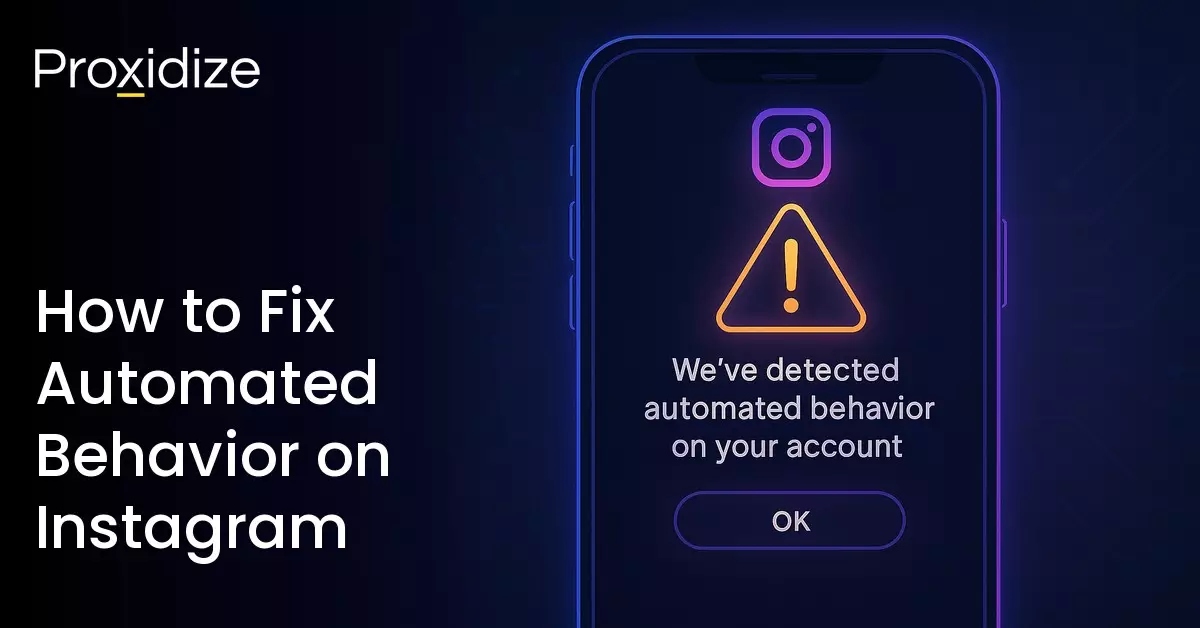

If you have ever had one of those lazy days where you did a lot on Instagram, liking or commenting on many posts within a short time, you might have received the automated behavior message on Instagram. This is because the constant activity makes it seem like you’re a bot account, which causes Instagram’s detection systems to send your account the “We suspect automated behavior on your account” message.
Similar to other automation-related Instagram warnings like feedback_required and challenge_required, “We suspect automated behavior on your account” message often prevents you from liking, commenting, or engaging in other activities on the app. However, please do not panic and remember that it’s only because your activity seemed unnatural, and the issue can be quickly resolved by following some quick tips.
Let’s explore the automated behavior on Instagram, what it means for your account, why users like yourself may have gotten the message, how to fix it, and recommendations to prevent getting this message in the future.

What is Automated Behavior on Instagram?
Instagram sends the automated behavior notification once it detects a user pattern that seems bot-like or deviates sufficiently from usual human patterns. Things like mass liking or commenting on several posts at the same time, something that is impossible for a normal human user.
Sometimes, especially if you have an unstable connection, you can have queued up a bunch of actions that all get executed at once when your device reconnects to the internet. To Instagram, it can look like you did all of them at the same time, tripping the error.
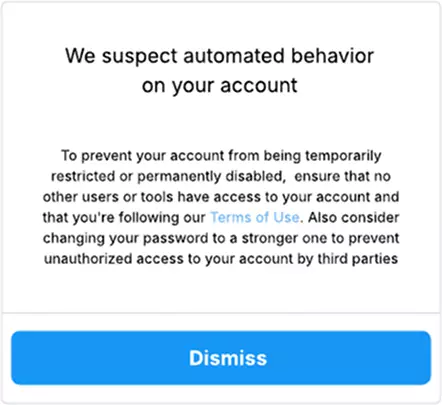
As the rest of the warning goes on to say, “To prevent your account from being temporarily restricted or permanently disabled, ensure that no other users or tools have access to your account and that you’re following our Terms of Use. Also consider changing your password to a stronger one to prevent unauthorized access to your account by third parties.”

Why does Instagram Suspect Automated Behavior?
There are a whole set of activities that contribute to the flag being tripped. Unfortunately, it can’t necessarily be attributed to any specific activity as such, because Instagram tracks user behavior over time, comparing an individual account’s behavior against all users’ general behavior. The same is true for anti-bot measures. When an account exhibits behavior that falls too much into the bot-like behavior category, the error is triggered.
Let’s look at some of the activity that might be responsible for you seeing this warning.
Your Actions Seem Unusual
Instagram constructs a user pattern by observing and collating behavioral patterns like the speed at which you engage with other users, login sessions, IP addresses, API calls, and login devices over time. This user pattern is unique to your account, and any slight shift from this established pattern can set off this detection flag and trigger the automated behavior message.
Some of this behavior includes:
- Liking many posts within an “impossibly” short amount of time
- Mass follows/unfollows
- Mass DMing followers, especially if the message is identical each time
- Unusual login behavior, usually attempts to log in from different devices or locations
Using Automation
While Instagram allows the use of official chatbots built with its official API or those Meta-approved for business accounts for improving customer service interactions, other kinds of bots fall into the high-risk zones. These high-risk bots include the following:
- Engagement bots: These bots perform mass engagement like likes, comments or inflate views to boost account metrics. They often spam accounts and hashtags with unnecessary comments and messages.
- Third-party bots: These are unauthorized third-party apps that help boost follower count or fake user interactions
- Web scraping bots: These are scripts used to collect data from Instagram using an account’s login credentials.
Using these bots violates Instagram’s Terms of Use and can lead to the automated behavior message.
Scraping Without Proper Permissions
Using automation to collect Instagram data across user profiles, posts, comments, and analytics without permission violates Instagram’s ToS. Too many calls can also exceed the API rate limit and flag anti-bot systems, leading to the automated behavior tag.
Extremely Fast Actions
Authentic behavior follows a normal, human pace – with pauses between making comments, responding to DMs, or writing captions. This pacing signals human, manual activity to detection systems, and is considered safe. However, bot-like actions significantly exceed this speed, which is an anomaly and therefore triggers the Instagram automated detection systems.
Inconsistent Login Behavior
Logging in from locations/devices/networks inconsistent with your usual pattern can trigger the detection systems.

How to Fix Automated Behavior on Instagram?
The automated behavior on Instagram is temporary and can be resolved by any of these solutions.
Take a Break from the App
A brief pause from the app allows Instagram detection systems to reset their flags. This means pausing activities on all user sessions, like liking, following, or messaging. The timing for this pause varies, but is usually within a 24-48hr period.
Change Your Password
Suspicious login attempts to your account can set off the detection systems as well. Review and change your password by:
- Go to Account settings > Password and security > Change Password. Choose an account and enter a strong, unique password.
- Tap Change Password
Review Your Login Behavior
Review your logins to identify if there are any suspicious attempts from other locations or devices. Log out of any suspicious active sessions.
Check Your Third-Party Apps
Numerous third-party apps that violate Instagram community guidelines or use can sometimes gain access to your account, which triggers the automated behavior tag.
To fix this, check your account settings to revoke any of these permissions. To do this, go to Settings and activity > Website permissions > Apps and Websites and remove them.
Pace Your Activities to Seem Natural
Follow a more human pace with your interactions. Take pauses between posts and reduce the speed at which you engage with other accounts.

How to Prevent Getting Automated Behavior on Instagram?
Receiving the automated behavior message can be frustrating, but there are some practices you can follow to prevent your account from getting flagged in the future. Some of these practices are easily applicable, like ensuring consistency with how you log into the app. Others include:
Thoroughly Research Your Hashtags
Some hashtags are easy targets for bot accounts to boost their engagement by making mass comments or likes. These hashtags are usually generic and attract large audiences, which makes them good places to drive traffic to the bot’s profile. Some of these hashtags include #love, #fitness, #travel, #cute, and many more.
Try more niche hashtags like #bananabreadrecipes instead of #recipes, #beautytipoftheday instead of #beauty, and rotate between different hashtags to introduce some variety.
Carefully Manage Third-Party Access to Your Account
Sometimes, third-party apps granted permission to collate and use your Instagram data may get compromised or violate Instagram’s terms of service. These apps may include those built to help with analytics or scheduling posts for consistency.
Review and adjust permissions if needed, and ensure to remove access whenever these apps go beyond their usual scope of access or act in a way you do not understand.
Maintain Consistency with Your Login Behavior
Most people log into Instagram from the same device in the same country. Logging in repeatedly from different devices in wildly different locations, especially if there’s a failed login, is more likely to raise Instagram’s suspicion.
Consistent behavior aligns with the patterns of behavior expected from most users. Slight deviations are fine, but if they’re large enough they’ll be flagged by Instagram’s system.
Watch Out for Updates to Policy Rules
Instagram regularly updates its policy and community guidelines. Reviewing these changes informs you of any changes and enables you to adjust before these flags occur, especially if you’re using automation.
Interact like a Human
Brief, semi-randomized pauses between actions read as much more organic and authentic to Instagram’s detection systems. If you are using automation, try to have your bot mimic authentic actions, particularly interspersing different actions, i.e. liking something, then scrolling a bit, then saving something, scrolling, then commenting, etc.
Conclusion
When the activity on your Instagram account matches those of a bot closely enough, Instagram will hit you with a “We suspect automated behavior on your account”. If you’re not botting, it’s probably temporary, just like other Instagram errors. Waiting it out, checking third-party permissions, and double checking that your internet’s stable are enough to solve the problem for most people.
Key takeaways:
- You will see this error if Instagram suspects you’re a bot.
- The automated behavior message on Instagram pops up on suspicion of inauthentic activity.
- This inauthentic behavior could be from rapid, repeated actions within a short time like mass follows/unfollows.
- Another cause is unauthorized third-party apps trying to game the Instagram systems to boost engagement, which also triggers the automated behavior notification.
- The automated behavior tag limits your ability to use certain features, limit your post reaching many people, and in some cases, a permanent ban on your account.
- Ensure your account behavior always follows a natural pattern, as this informs Instagram that a human operates the account.
- Always review your third-party permissions and user sessions, and stay updated on any changes to Instagram’s rules.
All sorts of actions are taken into consideration when flagging an account as a bot. No one action is enough to trigger the warning, but enough of them in the right combination does cause it. If you are doing social media automation, make sure to go through your script and review what actions (or lack of actions) could plausibly be causing your bot to give itself away.
Frequently Asked Questions
Why does Instagram suspect automated behavior on my account?
Instagram thinks you’re a bot. You’re probably doing things too fast, like liking too many posts at a time, or mass following or unfollowing. Pace out how you engage with other accounts.
What is automated behavior on Instagram?
This is a flag sent by Instagram detection systems because your account is either engaging in a bot-like, unauthentic manner, using unauthorized third-party automated apps, or attempting to scrape data unethically.
How do I prevent automated behavior on Instagram?
Engage naturally, and if you have to use automated apps, ensure these apps abide by Instagram rules and do not violate Instagram’s terms of service.