
IP rotation is one of the most practical tools available for anyone running automated online tasks. It prevents tracking across sessions and can help avoid IP blocks while giving you privacy and avoiding rate limits during high-usage activities.
If you have ever heard of web scraping, IP rotation is what makes it possible. The same goes for web crawling, where crawlers follow links across websites to discover pages at scale and need rotation to avoid getting blocked. Websites receiving too many requests from one IP address can trigger rate limits or set off anti-bot detectors. By rotating, the scraper is protected from hitting these limits and can continue collecting the information it needs without interruption.
Throughout this guide, we will explain what IP rotation is, how it works, the different types, and some ways to properly utilize it.

What is IP Rotation?
Every device that connects to the internet is assigned an IP address. Think of it as a home address for your device. When you visit a website, that website can see the IP address your request came from. If the same address keeps showing up hundreds of times in a short period, the website knows something automated is happening and will often block it.
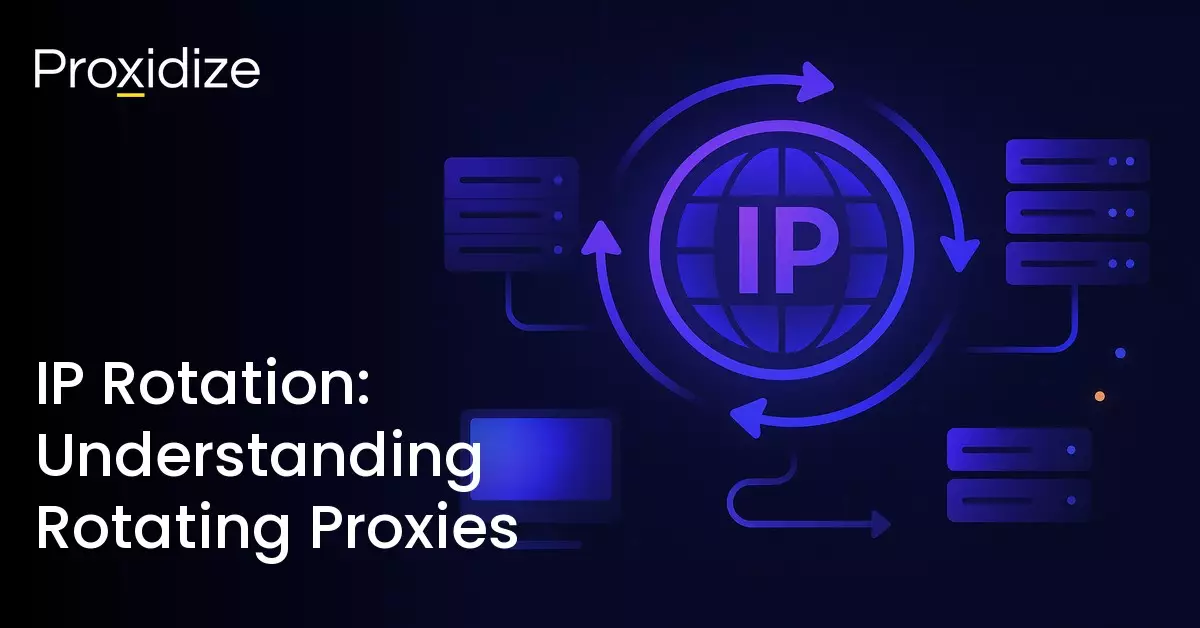
IP rotation solves this by automatically or manually switching the IP address used to send requests. Instead of every request coming from the same address, each one comes from a different address drawn from an IP pool. From the website’s perspective, the requests look like they are coming from many different people rather than one automated process. This is what allows large-scale scraping and web automation to function without constant interruption.
The switching can be configured in different ways. You can set it to rotate after every single request, after a set number of requests, or at timed intervals such as every few minutes or once an hour. The right configuration depends on what you are trying to do, and we will cover that in detail later in this guide.
It is also worth knowing that websites do not rely on IP addresses alone to identify who is making a request. Alongside your IP, your browser sends something called a User-Agent string, which tells the website what device and browser you are using. Your IP gives a rough estimate of your geographical location while the User-Agent fills in the device and browser picture. Together they give websites a clearer profile of who is on the other end of the request. Rotating your IP changes one part of that profile but not the other, which is something we will come back to in the mistakes section of this guide.
A common concern people have is that someone with your IP address can find out everything about you. That is not accurate. An IP address reveals a general location, not your identity or personal details. That said, some users still prefer a higher level of privacy, which is where proxies, VPNs, and IP rotation come into play.
Web scrapers and bot users implement rotation to make the website think their scraping or bot is the act of multiple different people using a variety of IPs. This keeps their actions under the radar while minimizing the risk of server disruption.
Internet service providers (ISPs) rotate dynamic IPs because they tend to have more users than IP addresses at their disposal. This is why we have IPv4 and IPv6. IPv4 was created with a decent number of IPs but no one could have predicted the rise of devices, each requiring an IP of its own. This is why IPv6 was made, to pick up the slack that IPv4 was unable to handle.
When it comes to rotating proxies specifically, proxy rotation uses a pool of multiple proxy servers and switches between them automatically. The rotation limit can be set by the proxy provider or by the proxy user, depending on what the provider is able to handle. This ensures that their connection will always appear to originate from somewhere different.
Rotating IPs vs Sticky IPs vs Static IPs
Now that you understand what IP rotation is and why it matters, the next question is what kind of rotation you actually need. Not every task benefits from constant switching, and choosing the wrong type can cause problems that are not always easy to diagnose.
Rotating IPs change with every request or at short intervals, giving you a different address each time. This is the right choice for high-volume scraping where you are hitting the same website repeatedly and the main risk is a single address accumulating too many requests. The trade-off is that your session does not persist. If your task requires staying logged into an account, completing a multi-step form, or navigating through pages that track your session, a rotating IP will break that process the moment the address changes.
Sticky IPs hold the same address for a defined window of time before switching. That window is typically configurable between a few minutes and a couple of hours depending on your provider. This gives you the session consistency that rotating IPs cannot provide, without locking you into a single address permanently. Social media account management is a good example of where sticky IPs make sense. You need the same IP throughout a login session and the actions that follow it, but you do not want to be permanently tied to one address.
Static IPs do not rotate at all. The same address is used until you manually change it. The clearest use case is account warming, which is the process of building up a new account gradually so that it looks like a genuine, established user to the platform’s detection systems. Platforms watch for accounts that behave inconsistently, and one of the signals they look for is an IP address that changes constantly. Using a static IP during the warming period helps the account appear stable and trustworthy over time.
| IP Type | Duration | Use Case |
|---|---|---|
| Rotating | Changes after each request or every few seconds | High-volume web scraping and avoiding rate limits |
| Sticky | Changes after a set time limit | E-commerce carts and social media sessions |
| Static | Never changes | Whitelisting for secure servers and warming social media accounts |

The choice between these three is not a matter of preference. It is determined by what your workflow actually requires. Using rotating IPs for a task that needs session continuity will produce failures that look like authentication errors rather than IP blocks, which makes them harder to diagnose. Using static IPs for high-volume scraping defeats the purpose of using a proxy pool entirely.

How Does IP Rotation Work?
Depending on the use case, IP rotation can be the core mechanism that makes an entire operation possible. Web scraping and data collection are the clearest examples. Small-scale data gathering may not require rotation at all, but once you are pulling large datasets from a site, rotation stops being optional and becomes a requirement.
Most websites deploy anti-scraping technologies designed to detect and block automated traffic. When too many requests originate from a single IP address, that address gets flagged, rate-limited, or banned outright. IP rotation counters this by distributing requests across a pool of addresses, so no single IP accumulates enough activity to trigger those thresholds.
Beyond scraping, IP rotation serves two broader purposes. The first is privacy. Websites and advertisers build behavioral profiles by tracking users across sessions. Each time your IP changes, that tracking chain breaks and a new profile starts from scratch. The second is security. A rotating IP cannot be persistently targeted by malicious actors because it cannot be reliably linked back to your device. This also makes rotating IPs useful for competitive research, allowing marketing and analytics teams to monitor competitor activity without their requests being identified and blocked.
How rotation is implemented varies depending on the tool. Proxy providers are the most common method, offering large IP pools that rotate automatically on a schedule or per request. VPNs can change your IP by switching between servers, though this is a manual process on most services and is not the same as true proxy pool rotation. More advanced platforms expose rotation controls through a dashboard or API, giving you the ability to set intervals, trigger manual switches, or configure sticky sessions for workflows that need temporary IP consistency.
Rotation itself falls into two modes. Automatic rotation runs in the background on a set schedule, with typical intervals ranging from 10 to 30 minutes. Manual rotation puts you in control of when and where the switch happens, which is useful when you need to maintain access to a specific service or avoid triggering a change at a sensitive point in a workflow.

Types of IP Rotation
Not every task calls for the same rotation behavior. The type you choose directly affects how detectable your activity is and how well your sessions hold together. The main types are fixed, random, and round-robin, with several additional methods worth understanding depending on your use case.
Fixed rotation assigns a new IP after a predetermined interval. That interval can be time-based, such as every 10 minutes, or request-based, such as every 100 requests. The proxy tracks the elapsed time or request count and rotates automatically once the threshold is reached. Fixed rotation works well for tasks that need some session continuity alongside periodic IP changes, such as account warming or long-running scraping jobs where consistent pacing matters more than unpredictability.
Random rotation pulls a new IP from the pool at unpredictable intervals. Due to the timing not being fixed, anti-bot systems cannot fingerprint or anticipate the switching pattern. This makes random rotation the stronger choice for high-volume scraping and automation tasks where avoiding detection is the primary concern.
Round-robin rotation cycles through a defined list of IPs in a fixed sequential order. The first request uses IP 1, the second uses IP 2, and so on until the list is exhausted, at which point it loops back to IP 1. This distributes traffic evenly across all available addresses and prevents any single IP from bearing a disproportionate share of the load. Round-robin is best suited to distributed scraping operations and performance testing scenarios where even traffic distribution matters more than unpredictability.
Beyond these three, there are additional rotation methods worth knowing:
- Per-request rotation assigns a new IP to every single request. It is the most aggressive form of rotation and the most commonly used configuration for large-scale web scraping.
- Sticky or session-based rotation keeps the same IP for the duration of a defined session before rotating. This is the right choice when a workflow requires IP consistency across multiple steps, such as logging into an account, navigating through pages, and completing a form, before moving on to the next session with a fresh IP.
- Geo-targeted rotation restricts the pool to IPs from a specific country or city. Rather than pulling from a globally distributed pool, every rotation stays within a defined geographic boundary. This is essential for tasks like localized price monitoring, geo-specific ad verification, or accessing region-locked content.

Common IP Rotation Mistakes to Avoid
IP rotation is only as effective as the setup behind it. These are the most common mistakes that undermine an otherwise solid rotation strategy and what you should do instead.
Neglecting user-agent rotation
Rotating your IP while keeping a static user-agent is one of the most common detection failures. Websites do not rely on IP addresses alone. They build a fingerprint from multiple signals, and the user-agent string is one of the most visible. If every request arrives with the same browser and device identifier regardless of which IP it comes from, anti-bot systems will flag the pattern quickly.
Rotate your user-agent alongside your IP so each request presents a consistent and believable combination of both. Most quality proxy providers and automation tools handle user-agent rotation automatically. If you need more control over your full browser fingerprint, pairing a rotating proxy with an antidetect browser lets you manage both your IP and your browser identity from a single setup.
Using unreliable or overused proxies
Free proxies carry two significant risks. The first is security: free proxy infrastructure is frequently compromised, exposing your traffic to data leaks and malware. The second is effectiveness: free proxy IP pools are heavily recycled, meaning many of the addresses in them have already been flagged or banned by the sites you are trying to reach. A banned IP rotating into your pool does not help you, it gets blocked on arrival.
The same problem applies to overusing a fixed pool of IPs. If your requests consistently originate from the same set of addresses, websites will eventually recognize the pattern regardless of how frequently you rotate between them. Maintain access to a large and diverse proxy pool, and audit it regularly. Any IP that is generating a disproportionate number of errors or blocks should be rotated out and replaced.
Not monitoring and logging requests
Running a rotation setup without monitoring it is the fastest way to waste resources on blocked traffic without realizing it. Track error rates, response times, and blocked requests as a baseline. If a specific IP or geographic region is being flagged consistently, remove it from the pool and investigate before adding it back.
Logs also give you the data you need to tune your rotation intervals. If you are seeing a spike in blocks at a particular request threshold, that is a signal to adjust your rotation frequency or switch to a different rotation type for that task.
Conclusion
IP rotation is one of the most practical mechanisms for managing large-scale online activities while maintaining stability and continuity. By dynamically switching between IP addresses, it reduces the likelihood of blocks, distributes request loads, and allows data collection and automation to function without constant interruptions.
Key Takeaways:
- IP rotation changes your IP at intervals or per request. It reduces tracking, blocks, and rate limits.
- Rotating, sticky, and static IPs each serve different purposes. Rotation changes the IP continuously, sticky holds it for a defined session before rotating, and static keeps it fixed indefinitely.
- The three different rotation methods are fixed, random, and round-robin and each one impacts detection and traffic distribution.
- Pairing IP rotation with user-agent rotation will improve realism and reduce detection risks.
- A large, reliable, and well-managed proxy pool is necessary for effective and sustainable rotation.
Effectiveness still depends on how rotation is configured and maintained. Picking the right rotation type, pairing it with user-agent management, and getting access to a clean and diverse proxy pool can play a critical role in getting reliable results. Poor implementation can lead to detection, inefficiencies, or wasted resources. When handled correctly, IP rotation becomes a controlled system rather than a simple switching mechanism, allowing users to balance anonymity, performance, and operational goals.
Frequently Asked Questions
What is the difference between rotating proxies and static proxies?
Rotating proxies will assign a new IP after each request or during set intervals. Static proxies will remain unchanged and stay the same at all times. Rotating proxies are usually better for scraping and automation tasks while static proxies are ideal for account management.
How often should I rotate my IP address?
It all depends on the use case. For web scraping, a per-request rotation is the most common suggestion. For social media management, sessions lasting 10-30 minutes are best to avoid triggering bot detection.
Are rotating mobile proxies better than rotating residential proxies?
Mobile proxies use real carrier IPs which are shared among many real users and carry a higher trust score with platforms. This makes them harder to detect and block when compared to residential proxies that tend to be used by one person or a small number of people.
Can IP rotation bypass CAPTCHA?
IP rotation helps reduce the frequency of CAPTCHA triggers by distributing requests across many IPs. However, it does not “solve” or completely remove CAPTCHAs from appearing. If you are automating actions, pair your tool with a CAPTCHA solver.
How does CGNAT affect IP rotation?
CGNAT means many real mobile users share the same public IPs which is why mobile proxy IPs are rarely blacklisted. If a website bans that IP, they could risk losing far too many customers just to prevent one possibly suspicious user.